Order Bump vs Upsell vs Downsell: How Each One Works
The three post-checkout offers get confused constantly. Here is where each one appears, how one-click purchases work, how systeme.io and ClickFunnels document them and which plan rows to check before building, from the official help centers as of October 2026.
This article is a documentation review: it is based on the vendors' own published pages, checked on the date shown. We may earn a commission from some links; it never affects what we recommend.
Order bumps, upsells and downsells are the three offers a funnel builder adds around the checkout, and they are often described as if they were interchangeable. They are not. An order bump sits on the order form as a checkbox before payment. An upsell is a separate page shown after payment that charges with one click. A downsell is the page shown to people who decline the upsell. This guide explains each from the official help centers of systeme.io and ClickFunnels as read on October 10, 2026, including setup steps, one-click behavior and the limits each vendor states or leaves out.
Place the order bump on the order form, before payment
systeme.io defines the order bump most plainly. Its help article on the difference between an upsell and an order bump calls it a "promotional offer" displayed as "a small checkbox" that "appears directly on the order form, before the payment is finalized."
The offer should complement the main purchase, in the vendor's words. A template pack beside a course, an extended warranty beside a device, a workbook beside a workshop. The buyer ticks the box and both charges go through in the same checkout.
One detail from the systeme.io setup article: some processors, PayPal among them, may show only the main offer's price at approval time. The article describes this as normal because the two charges are processed separately. Tell buyers the total on the page itself.
ClickFunnels handles the bump inside its Smart Checkout element. Its support site lists an Order Bump component that styles the bump section to match the page and requires a product already set as an order bump. The styling article's body did not render when read on October 10, 2026, so only the requirements are quoted here.
Show the upsell after payment, and charge it with one click
The upsell's defining feature is the stored payment. systeme.io's article says that after the first purchase the customer can buy the upsell "without re-entering their payment information." The buyer sees a page, clicks yes, and the card already on file is charged.
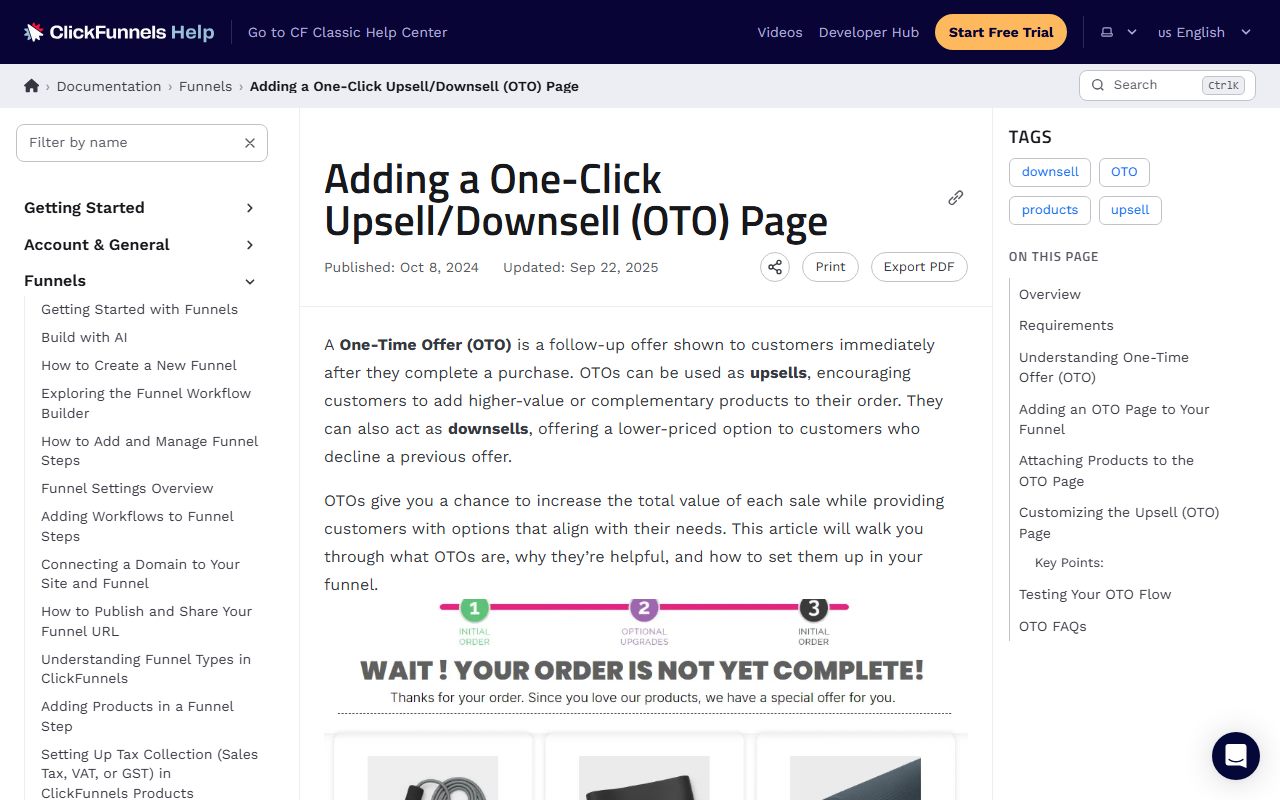
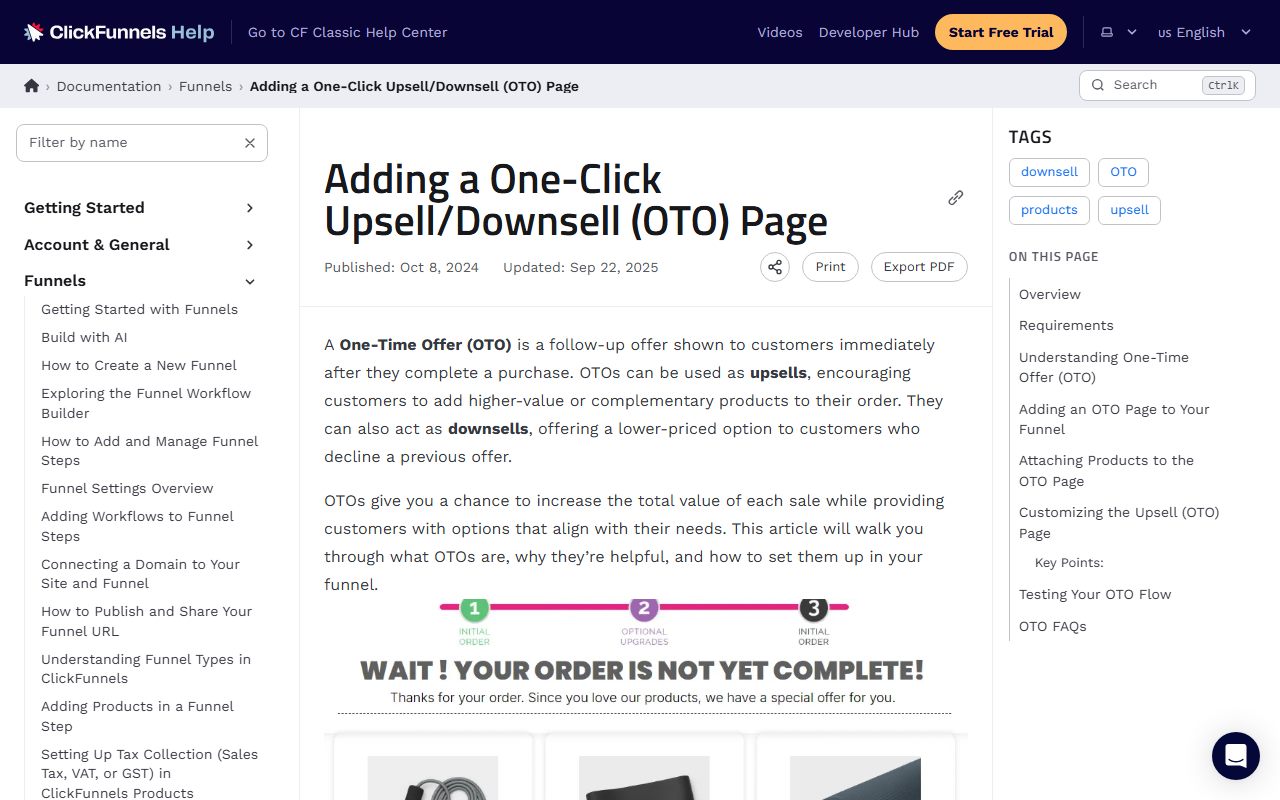
ClickFunnels calls the same page a One-Time Offer. Its OTO page documentation defines it as "a follow-up offer shown to customers immediately after they complete a purchase," which can act as an upsell or a downsell.
In ClickFunnels, a Button element set to the "1 Click Upsell" action is tied to one product, variation and price. For a customer who already bought on a prior page, "the button will process the order without requiring them to re-enter payment information." A visitor with no prior purchase sees a checkout modal instead.
That last rule matters for testing. Opening the OTO page directly from a link shows the modal, not the one-click flow. To see the real buyer experience, complete a test purchase on the order page first, which is one of the items on the funnel builder free trial checklist.
Route the downsell to the people who said no
A downsell is a lower-priced or stripped-down version of the upsell, shown only to buyers who declined. ClickFunnels documents the routing: with the Checkout element you turn on Downsell Link Text, such as a "No" option, and set its action to Redirect to Next Step.
With a Button, leaving Enable Redirect Override unchecked advances the customer to the next funnel step after a purchase. Checking it sends them to a custom URL or relative path instead. The two settings together let a yes and a no land on different pages.
systeme.io's article on upsells does not define the downsell on the page read; the term appears only in the title of a linked article, "How to create an upsell and a downsell." The mechanics are the same in principle: the no path leads to a cheaper offer, the yes path leads to the thank-you page.
- Order bump: checkbox on the order form, charged with the main purchase, best for a small add-on priced well below the main item.
- Upsell: separate page after payment, charged with one click against the stored card, best for a higher-value or complementary product.
- Downsell: page shown only after a declined upsell, usually a cheaper or smaller version of the same offer.
- Thank-you page: where both the yes and no paths eventually end, and where delivery details should be confirmed.
Follow the vendor's setup order to avoid a dead page
systeme.io's six steps for a bump, per its help article: open the payment page and click Add order bump; choose Physical product or Digital product; select the resource delivered, such as a course, bundle, tag or community; attach a single price plan; drag the Order bump element into the page body; optionally add an automation rule.
Two limits are stated. Calendar events cannot be used as a bump resource; selecting one produces an error. Physical delivery is outside the platform: "systeme.io does not facilitate this process." The article does not state a maximum number of bumps per page or any plan restriction.
ClickFunnels requires an active account, products created in the Products section, a funnel in the workspace and a configured Payments AI account before an OTO can work. You add a step after the checkout page, choose the OTO category or a blank page, include a Checkout element to enable purchases, and attach a product via the three-dot menu.
The ordering is not optional. An OTO comes after the first purchase, so the order page must exist first. Building the upsell page before the checkout leaves a page with no stored card to charge, which is why the direct-link test above shows a modal instead.
Check the plan rows that limit how many offers you can run
Neither help article ties bumps or OTOs to a plan tier, but the pricing pages impose indirect limits. systeme.io's Free plan allows 3 sales funnels and 1 automation rule, per its pricing FAQ as of October 2026, so a bump that triggers a follow-up email uses the only rule available.
On Kartra, the Essentials tier allows 1 product and 5 pages as read in how to read a funnel builder pricing page. An order form, an upsell, a downsell and a thank-you page are four of those five, and the second product for the bump is not available on that tier.
ClickFunnels advertises unlimited funnels and pages on every plan, with limits on workspaces and courses instead. The constraint there is contacts: 10,000 on Launch per the pricing page. Every buyer who passes through a bump or upsell is a contact against that cap.
The automation that follows a purchase is where the offers pay off a second time. A tag assigned by the bump can start a sequence, as described in how to build a welcome email sequence in a funnel builder. Count the rules and campaigns your plan allows before promising that follow-up.
Frequently asked questions
What is the difference between an order bump and an upsell?
Timing and placement. An order bump is a checkbox on the order form, accepted before payment and charged together with the main item. An upsell is a separate page shown after payment and charged with one click against the card already stored, per systeme.io's help center as of October 2026.
Does a one-click upsell really skip the payment form?
Yes, for buyers who just purchased. ClickFunnels states the 1 Click Upsell button processes the order without asking for payment details again. Someone who opens the page without a prior purchase sees a checkout modal instead, so test the flow by buying through the order page first.
Can I add a physical product as an order bump on systeme.io?
Yes, the offer type can be Physical product or Digital product, but fulfillment is yours. The help article states systeme.io does not facilitate physical delivery. Calendar events cannot be used as a bump resource, and the article sets no limit on bumps per page.
Bottom line
Build the three offers in the order the buyer meets them: order form with its bump first, upsell page second, downsell page for the no path third, thank-you page last. Attach products and prices before styling, and test by purchasing, not by opening pages from links.
Then check the plan rows that cap the build: funnels and rules on systeme.io, products and pages on Kartra, contacts on ClickFunnels. Every statement above reflects the help centers and pricing pages as read on October 10, 2026; vendors revise both without notice.
Sources
- systeme.io help: The difference between an upsell and an order bump (checked Oct 10, 2026)
- systeme.io help: How to add an order bump to a payment page (checked Oct 10, 2026)
- ClickFunnels docs: Adding a One-Click Upsell/Downsell (OTO) Page (checked Oct 10, 2026)
- systeme.io pricing (plan limits) (checked Oct 10, 2026)
- ClickFunnels pricing (plan limits) (checked Oct 10, 2026)