How to Read a Membership Site Pricing Page
Five membership platforms advertise unlimited members. None of them sells unlimited everything. The meters that actually decide your bill sit three screens below the plan cards, and we read all of them on October 21, 2026.
This article is a documentation review: it is based on the vendors' own published pages, checked on the date shown. We may earn a commission from some links; it never affects what we recommend.

Membership pricing pages have converged on one headline: unlimited members. It is usually true, and it is usually not the constraint. The constraints are the number of admins who can log in, the number of spaces or communities you can create, the share of each member payment the platform keeps, and on some platforms the size of your email list. Below are the rows that decide the bill on Circle, Kajabi, Systeme.io, ClickFunnels, Podia and Kartra, quoted from their own pricing pages on October 21, 2026.
Unlimited members is real, and it is not the meter
Circle's comparison table lists "Members" as "Unlimited" on all four plans, from Professional to Circle Plus. Systeme.io lists "Community members" as "Unlimited" on every plan including Free. Podia's cards say "Unlimited customers" on all three.
So member count is not where these vendors differentiate. Ignore the headline and go looking for the rows that change between columns. On every page here, there are at least four.
Seats are the first real meter
Circle prices administration rather than membership. Its table gives "Admins" as 3, 5, 10 and Unlimited, and "Moderators" as 10, 15, 100 and Unlimited across Professional, Business, Scale and Circle Plus.
Extra seats are sold, not bundled. The add-on rows read "Extra admins $10/mo per admin" and "Extra moderators $20/mo per 10 moderators", priced identically on all three paid plans.
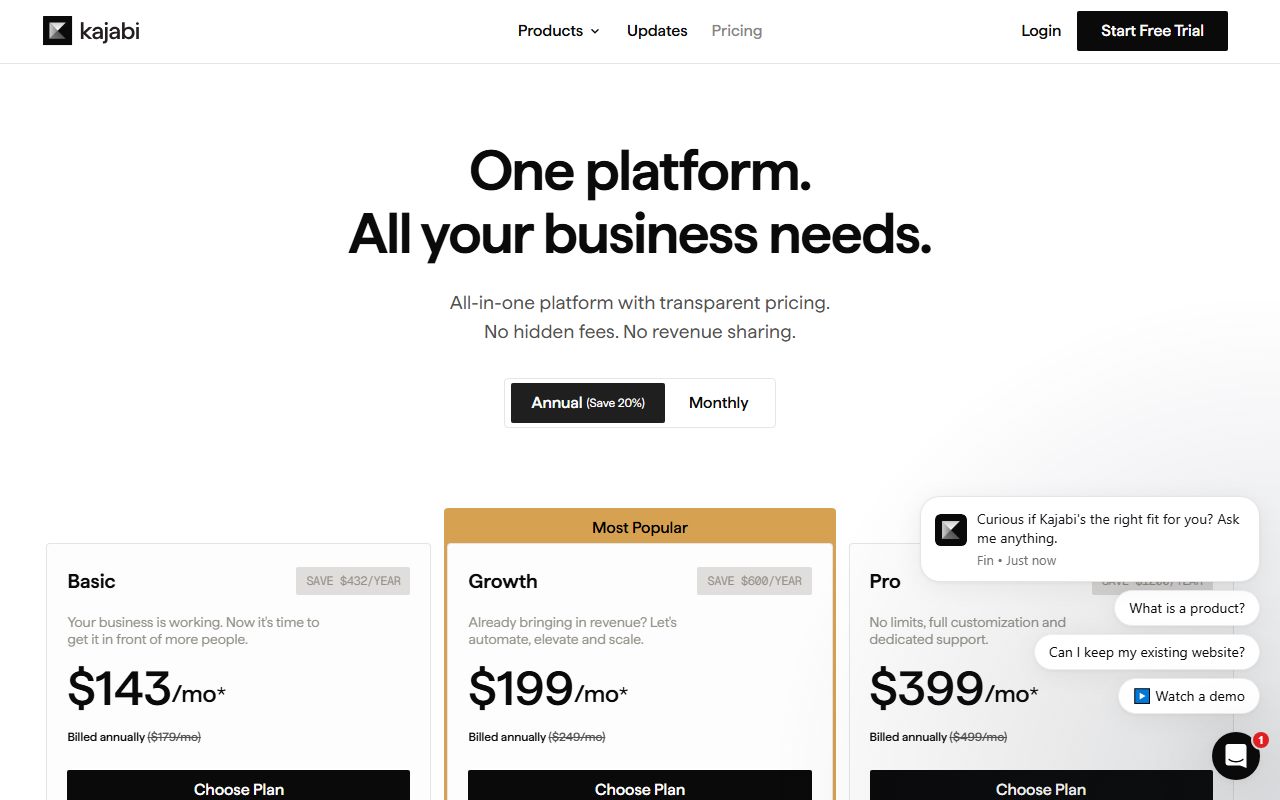
Kajabi runs the same idea under a different name. Its table lists "Admins who can log in and work alongside you" as 2, 11 and 26 for Basic, Growth and Pro. Kartra's cards cap Growth at "10 team members".
A three-person team on Circle Professional is therefore at the admin ceiling on day one. That is the kind of row we flag in what funnel builder contact limits actually count.
Spaces and communities are the second meter
Circle lists "Spaces" as 20, 30, 100 and Flexible, with an add-on of "$20/mo per 10 spaces". A space is a channel or sub-group, so an active community can consume its allocation faster than it consumes members.
Kajabi is stricter at the top of the funnel. Its table gives "Communities - A private space where your members talk to each other" as 1, 1 and 3. Two of the three plans allow exactly one community.
Systeme.io counts the same thing as 1, 5, 20 and Unlimited across Free, Startup, Webinar and Unlimited, priced at $0, $17, $47 and $97. ClickFunnels combines the two into a "Courses/Community" row reading "3/3", "6/6", "10/10" and "20/20".
Podia counts spaces as 25, 100 and Unlimited on Mover, Shaker and Earthquaker. Kartra's Essentials card allows "1 membership or course", with unlimited memberships from Starter upward.
Several platforms take a cut of each member payment
Circle's table has a row headed "Transaction fees" reading 2%, 1%, 1% and 0.5%. That is on top of whatever your card processor charges, and it recurs every month a member is billed.
On a community of 300 members paying $25 a month, Circle Professional's 2% is $150 a month. Our arithmetic, using Circle's published rate. The $110 a month difference between Professional and Business pays for itself before the seat limits do.
Podia charges "5% fees" on Mover and "No fees" on Shaker and Earthquaker. Kartra's Essentials card says "5% transaction fees - Charges 5% fees on your sales", with "0% transaction fees" above it.
Kajabi and Systeme.io take nothing. Kajabi's page headline reads "0% revenue share" and Systeme.io's table lists "Transaction fees" as 0% on all four plans. Card processing still applies in both cases.
The platform cut and the processor cut are two separate layers on the same payment. We work both of them through for course sellers in Teachable vs Thinkific fees.
The email list is often the hidden ceiling
Podia's cards are the clearest example of a meter that has nothing to do with members. They read "Up to 100 email subscribers", "Up to 500 email subscribers" and "Up to 1,000 email subscribers" against "Unlimited customers".
A free community of 2,000 people is allowed on Podia. Emailing them is not, on any of the three plans we read. That is a constraint most buyers discover after launch.
Kajabi meters the same thing as contacts: 2,500, 25,000 and 100,000, with its FAQ stating that "Contacts come in blocks of 25,000 for $125 a month". Systeme.io gives 2,000, 5,000, 10,000 and Unlimited.
Count your list and your members separately before comparing plans. The counting rules differ per vendor, which is the point of how to read an email automation pricing page.
Check whether the price on the card is the monthly price
Circle's plan cards show "$89 /mo*", "$199 /mo*" and "$419 /mo*". The footnote reads "Prices displayed in USD, based on annual billing and do not include applicable taxes", so the monthly-billing figure is higher and not shown by default.
Podia's cards behaved the same way. With yearly billing selected they read "$42 /mo" and "$504 billed annually", and the monthly figures were not present in the page markup we read.
Assume the headline is the annual rate until the page proves otherwise. The gap between the two is covered in annual vs monthly billing for funnel builders.
Six rows, in the order worth checking them
- Admin and moderator seats, and the price per extra seat.
- Spaces, communities or courses, and whether they are counted together.
- Any platform percentage on member payments, separate from card processing.
- The email or contact ceiling, which is usually lower than the member ceiling.
- Whether the displayed price assumes annual billing.
- Usage credits for AI or API calls, which Circle lists as "2,500 credits/mo" on two plans and "$10 per 1,000" beyond.
Work down that list and the cheapest plan often changes. A 2% cut on recurring member revenue outgrows a $110 plan difference quickly, while a 26-admin allowance is worth nothing to a solo operator.
If the membership sits inside a wider funnel, price the builder on the same six rows using how to read a funnel builder pricing page and ClickFunnels vs Systeme.io plans.
And treat every unlimited label as a claim about one row only. We take that phrase apart in unlimited funnels is not unlimited and compare two course-led platforms in Kajabi vs Kartra for courses.
Frequently asked questions
Do membership platforms really allow unlimited members?
On the pages we read, yes. Circle lists "Members: Unlimited" on all four plans, Podia says "Unlimited customers" on all three, and Systeme.io lists "Community members: Unlimited" including on its free plan.
Which membership platform takes a cut of member payments?
Circle, at 2% on Professional, 1% on Business and Scale, and 0.5% on Circle Plus. Podia charges 5% on Mover only. Kartra charges 5% on Essentials. Kajabi and Systeme.io list 0%.
How many communities can I run on Kajabi?
One on Basic, one on Growth and three on Pro, per the comparison table read October 21, 2026. The same table gives websites as 1, 1 and 3, so a second brand needs the Pro plan.
What does an extra admin seat cost on Circle?
Ten dollars a month per admin, and $20 a month per ten moderators, on all three paid plans. Base allowances are 3 admins and 10 moderators on Professional, rising to 10 and 100 on Scale.
Is the email limit separate from the member limit?
Usually, and it is often much lower. Podia pairs "Unlimited customers" with "Up to 100 email subscribers" on Mover. Kajabi pairs unlimited email sends with contact ceilings of 2,500 to 100,000.
Is the advertised price monthly or annual?
Check the footnote. Circle states its displayed prices are "based on annual billing". Podia's cards showed yearly figures with the yearly toggle selected and no monthly figure in the markup we read.
Bottom line
Price a membership platform on four numbers: seats, spaces, the percentage of member revenue it keeps, and your email ceiling. Member count is the one row every vendor has already conceded, which is why it is the one they advertise.
If your community charges recurring fees, the percentage row dominates everything else as you grow. Run your own member count against it before picking a tier, and confirm the current figures on each vendor's page.
Sources
- Circle pricing (plan cards, comparison table and add-ons) (checked Oct 21, 2026)
- Kajabi pricing (plan cards, comparison table and FAQ) (checked Oct 21, 2026)
- Systeme.io pricing (comparison table and FAQ) (checked Oct 21, 2026)
- ClickFunnels pricing (feature comparison table) (checked Oct 21, 2026)
- Podia pricing (plan cards and fees FAQ) (checked Oct 21, 2026)
- Kartra plans and pricing (plan cards) (checked Oct 21, 2026)